TipTip Organizer
An all-in-one check-in app that lets organizers run event entry with their whole crew, without ever sharing a password.
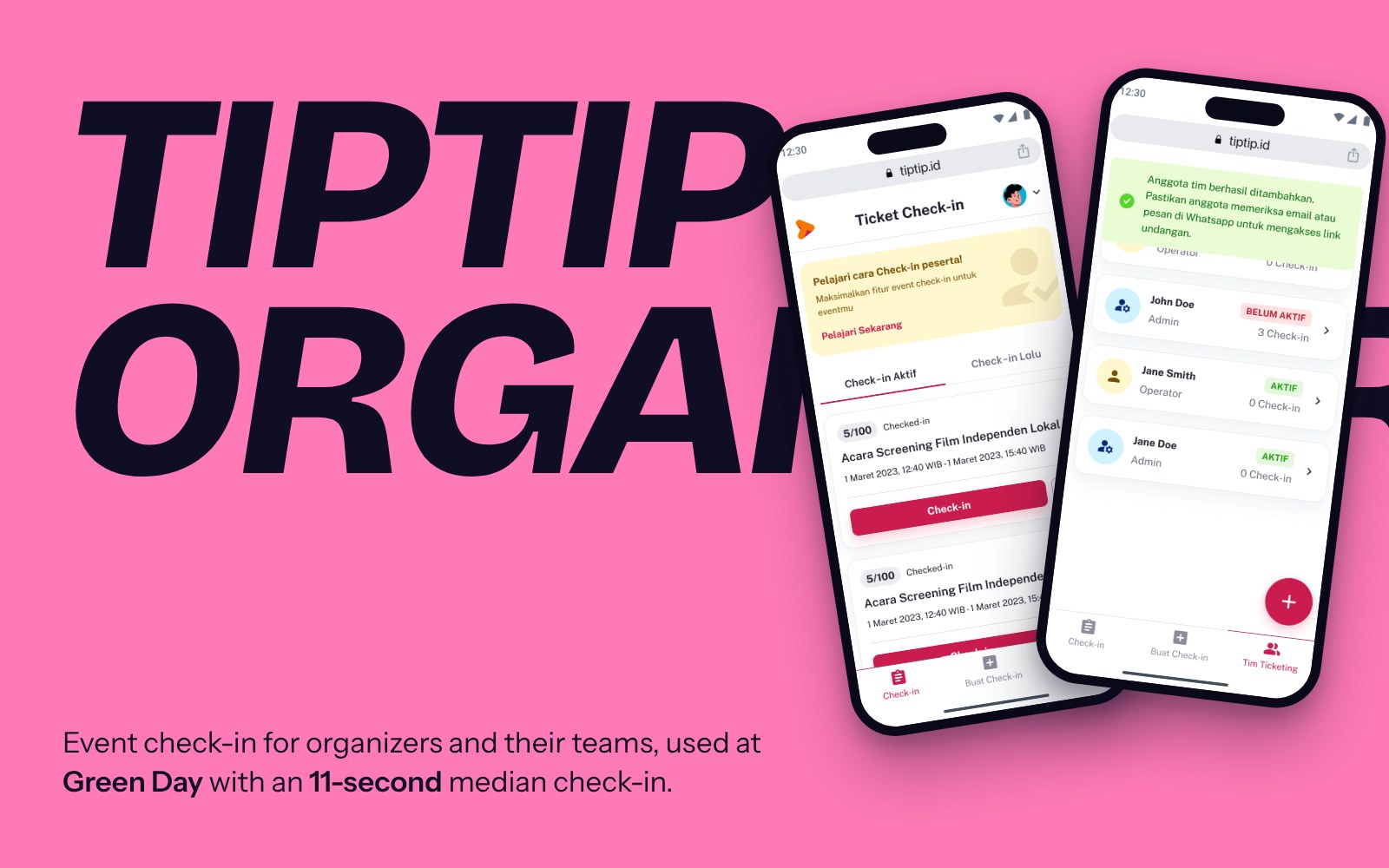
One login, shared by the whole crew.
As events on TipTip grew, check-in became the bottleneck. Organizers ran entry with one shared account, which meant long queues, manual errors, and a password passed around to staff and volunteers.
That shared account also exposed sensitive data, like the organizer’s bank details, to anyone holding the phone at the gate.
Let a team check in thousands of attendees, safely.
- Team-based check-in without risking account security
- Handle high traffic at the gate without bottlenecks
- Fewer errors through clear workflows and validation rules
Start with who does what at the gate.
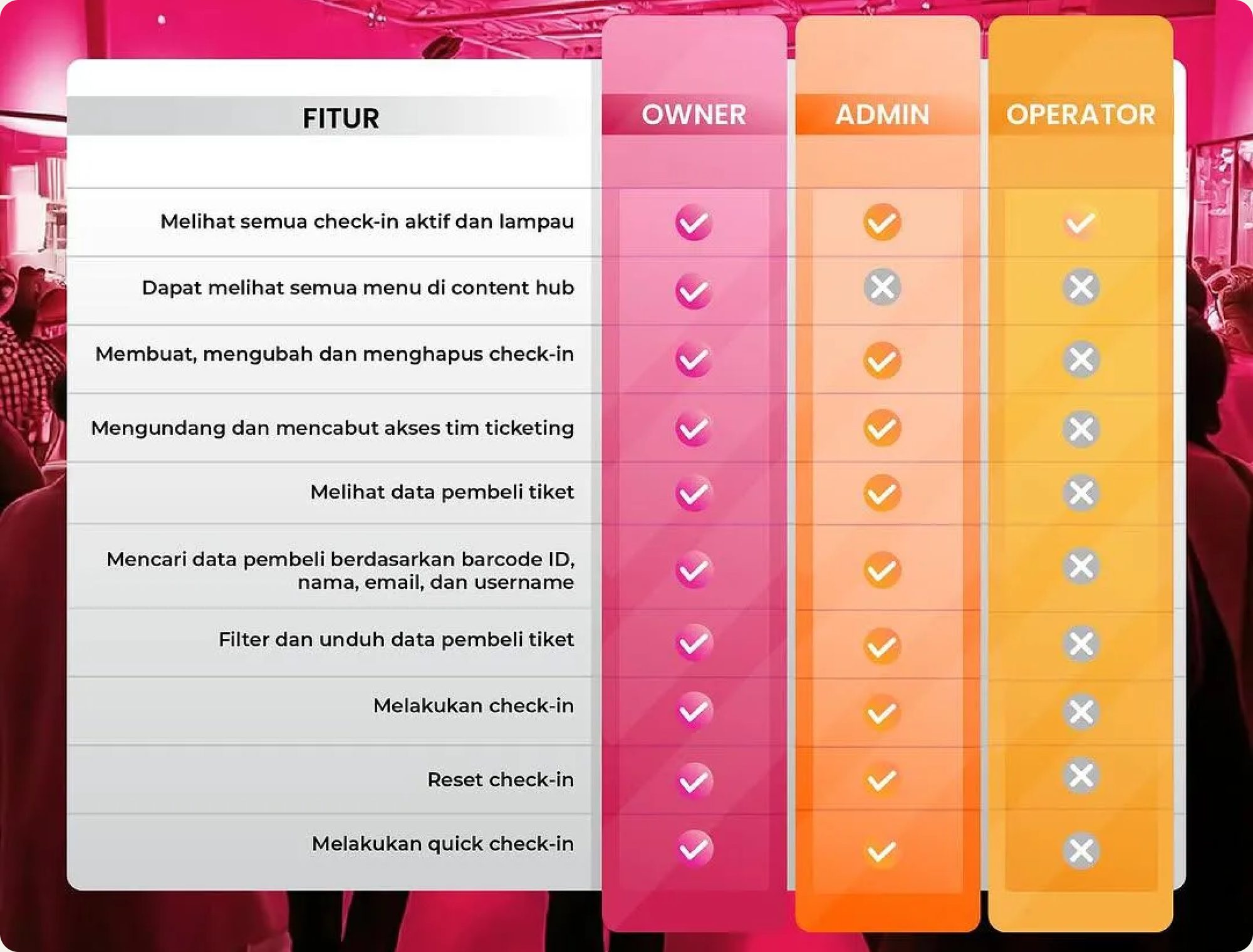
Working from the PM’s PRD, I mapped three roles. Owners and Admins create check-ins and manage the team. Operators only see the check-ins assigned to them, nothing else in the account.
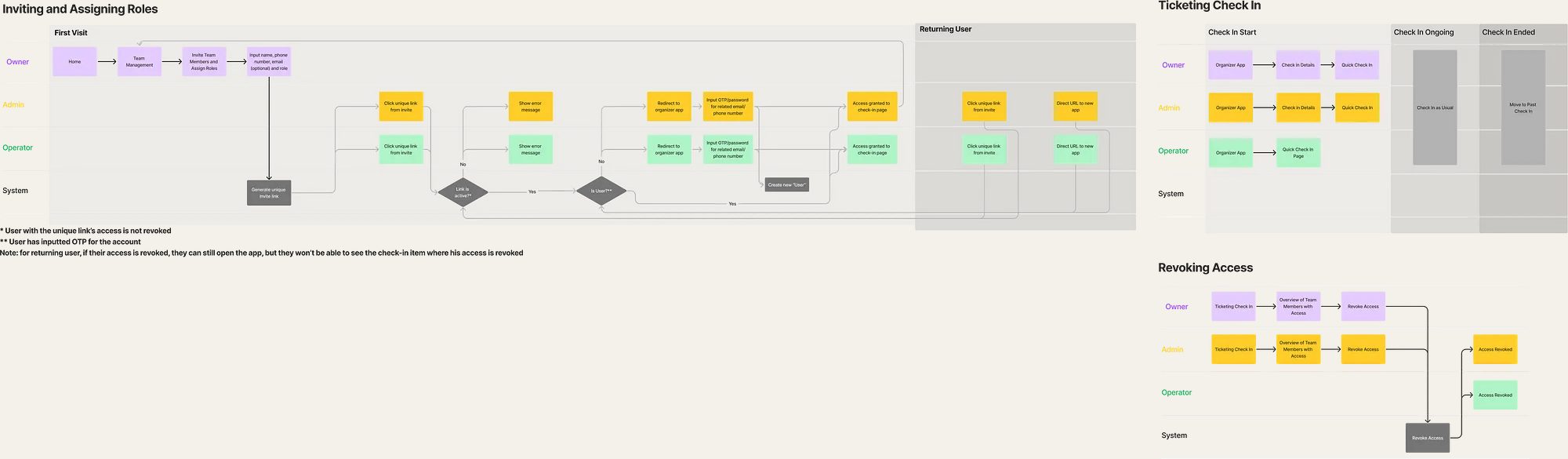
Then I mapped the full journey from login to scanning, including edge cases like future-dated events, expired sessions and role-specific permissions.
Testing with organizers who run real events.
With our Product Researcher, we ran in-depth interviews and usability tests with three organizers, from a 300-attendee stand-up comedy community to the team behind a 10,000-attendee comic convention.
What I designed, and why.
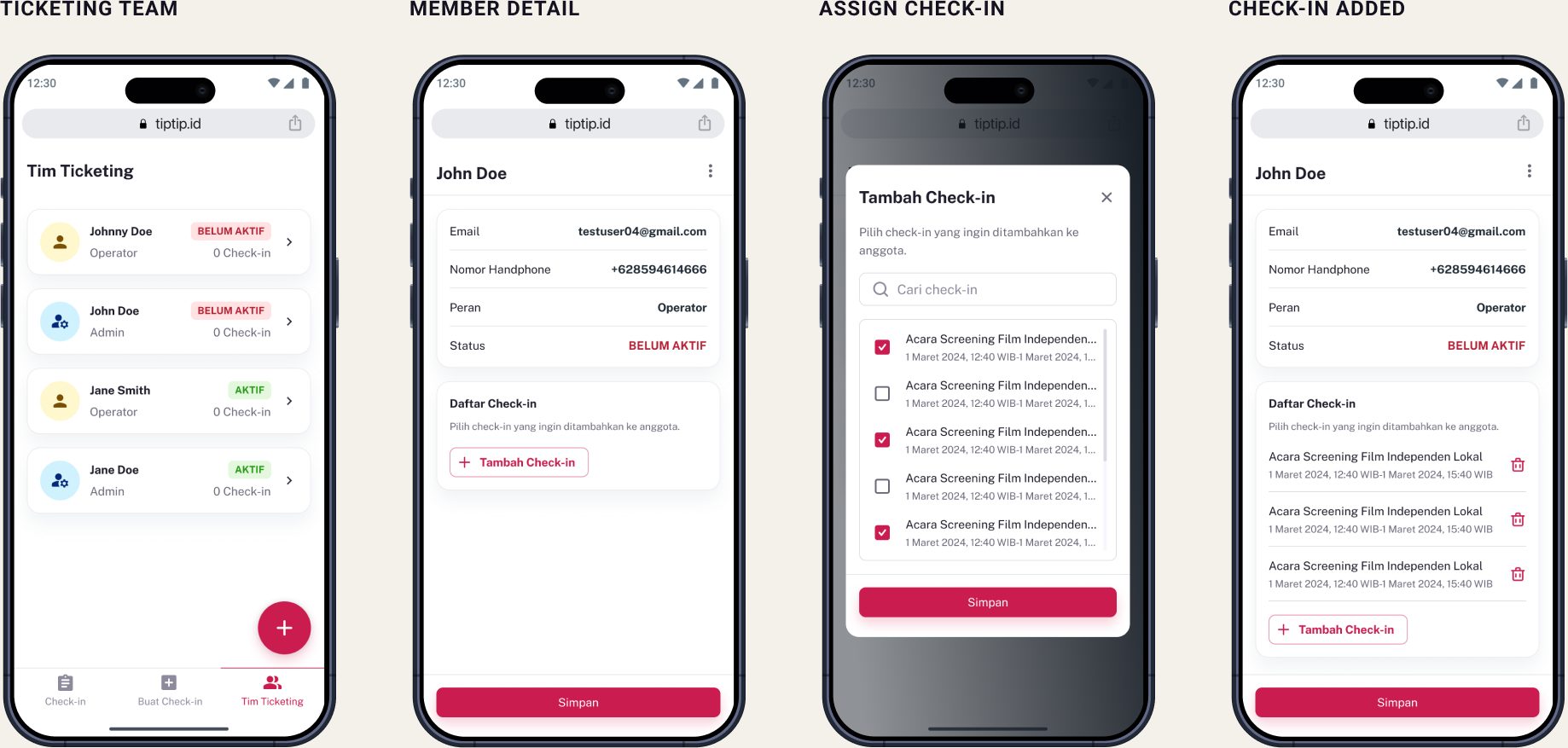
Invite the team first, assign check-ins later
The first version asked organizers to create a check-in, then invite staff to each one. Testing showed that was backwards. I moved team management to the organization level: invite once, then assign any check-in to anyone.
Phone number + OTP instead of a shared password
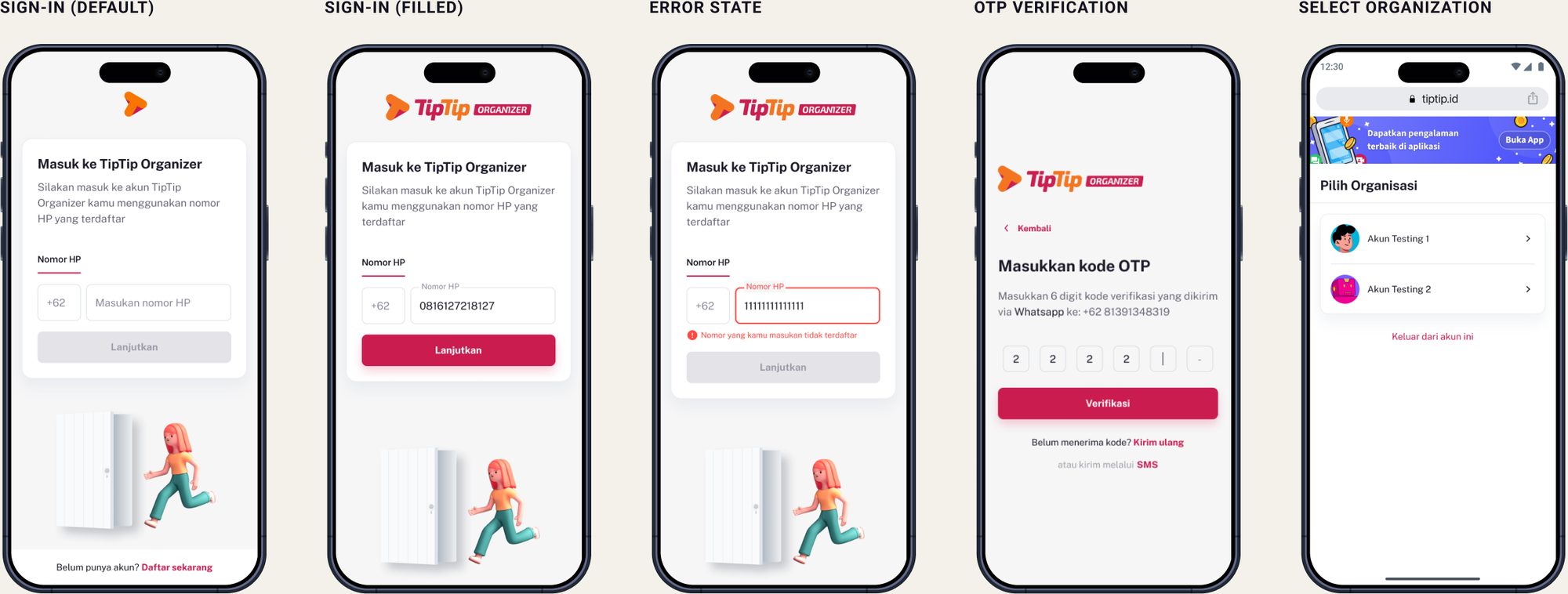
Invited members get a magic link by email and WhatsApp, then log in with the phone number they were invited with and an OTP. No password ever changes hands. Members who work for several organizers pick which one to enter.
Two check-in modes for two kinds of gates
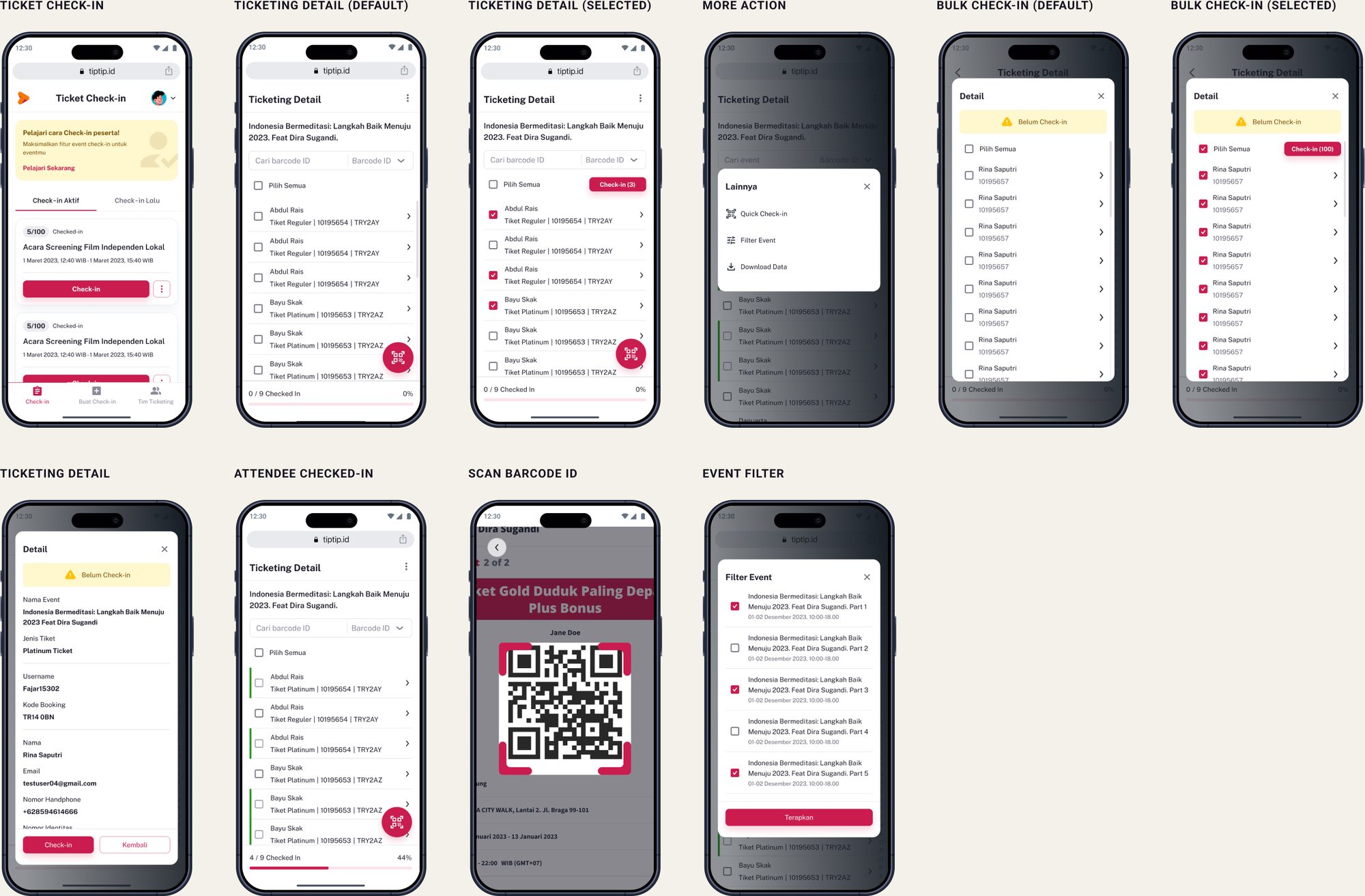
Regular check-in shows ticket details so staff can verify identity. Quick check-in skips the details and just scans, for the moments when thousands arrive at once.
Guardrails that prevent mistakes at the gate
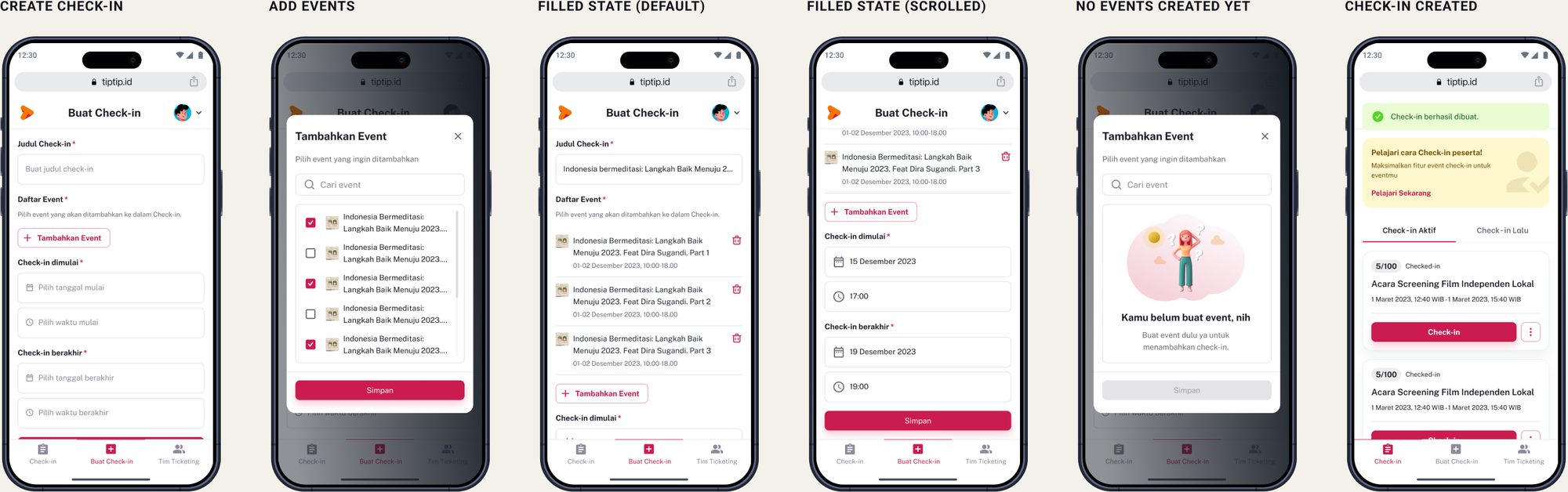
A check-in needs at least one active event and can’t run past the event’s end. Once the first attendee is in, editing is locked, so nobody changes the rules mid-entry.
Shipped, then tested by 20,000 fans.
- 11-second median check-in per attendee during a 2-hour entry window
- No more account sharing: every staff member has their own access
- Scaled from small community events to Green Day’s 20,000+ crowd
- Positive feedback from organizers on speed and security
Operational tools live or die at the gate.
This project taught me to design for the worst moment: a long queue, a weak signal, a volunteer using the app for the first time. Security only works if onboarding stays effortless.
The next gap was connectivity. Venues often have no signal, so I designed Offline Check-In Mode as the follow-up.